nov 19, 2022 Β· 3 min

How to Do Pipeline Forensics, DFIR, or Just Find Files Quickly With Recon

A quick introduction to the open-source tool

Recon is an open-source tool built in Rust πŸ¦€, with great performance and ergonomics for finding files.

You might want to:

Check out the Github repo here.

Key Features

Getting Recon

Recon is free and open source. For macOS:

$ brew tap rusty-ferris-club/tap && brew install recon

Otherwise, grab a release from releases and run recon --help:

$ recon --help
SQL over files with security processing and tests

Usage: recon [OPTIONS]

Options:
  -c, --config <CONFIG_FILE>  Point to a configuration
  -r, --root <ROOT>           Target folder to scan
  -q, --query <SQL>           Query with SQL
  -f, --file <DB_FILE>        Use a specific DB file (file or :memory: for in memory) [default: recon.db]
  -d, --delete                Clear data: delete existing cache database before running
  -u, --update                Always walk files and update DB before query. Leave off to run query on existing recon.db.
  -a, --all                   Walk all files (dont consider .gitignore)
      --no-progress           Don't display progress bars
  -m, --inmem                 Don't cache index to disk, run in-memory only
      --xargs                 Output as xargs formatted list
      --json                  Output as JSON
      --csv                   Output as CSV
      --no-style              Output as a table with no styles
      --fail-some             Exit code failure if *some* files are found
      --fail-none             Exit code failure if *no* files are found
      --verbose               Show logs
  -h, --help                  Print help information
  -V, --version               Print version information

A better β€˜find’

Do you remember all of the arguments to find? Me neither. Recon simplifies finding files by letting you use SQL:

$ recon -q "select path,mode,uid from files where ext='rs'"
β”Œβ”€β”€β”€β”€β”€β”€β”€β”€β”€β”€β”€β”€β”€β”€β”€β”€β”€β”€β”€β”€β”€β”€β”€β”€β”€β”€β”€β”€β”¬β”€β”€β”€β”€β”€β”€β”€β”€β”€β”€β”€β”€β”¬β”€β”€β”€β”€β”€β”
β”‚ path                       β”‚ mode       β”‚ uid β”‚
β”œβ”€β”€β”€β”€β”€β”€β”€β”€β”€β”€β”€β”€β”€β”€β”€β”€β”€β”€β”€β”€β”€β”€β”€β”€β”€β”€β”€β”€β”Όβ”€β”€β”€β”€β”€β”€β”€β”€β”€β”€β”€β”€β”Όβ”€β”€β”€β”€β”€β”€
β”‚ ./xtask/src/main.rs        β”‚ -rw-rw-r-- β”‚ 501 β”‚
β”œβ”€β”€β”€β”€β”€β”€β”€β”€β”€β”€β”€β”€β”€β”€β”€β”€β”€β”€β”€β”€β”€β”€β”€β”€β”€β”€β”€β”€β”Όβ”€β”€β”€β”€β”€β”€β”€β”€β”€β”€β”€β”€β”Όβ”€β”€β”€β”€β”€β”€
β”‚ ./recon/tests/cli_tests.rs β”‚ -rw-r--r-- β”‚ 501 β”‚
β”œβ”€β”€β”€β”€β”€β”€β”€β”€β”€β”€β”€β”€β”€β”€β”€β”€β”€β”€β”€β”€β”€β”€β”€β”€β”€β”€β”€β”€β”Όβ”€β”€β”€β”€β”€β”€β”€β”€β”€β”€β”€β”€β”Όβ”€β”€β”€β”€β”€β”€
β”‚ ./recon/src/os.rs          β”‚ -rw-r--r-- β”‚ 501 β”‚
β”œβ”€β”€β”€β”€β”€β”€β”€β”€β”€β”€β”€β”€β”€β”€β”€β”€β”€β”€β”€β”€β”€β”€β”€β”€β”€β”€β”€β”€β”Όβ”€β”€β”€β”€β”€β”€β”€β”€β”€β”€β”€β”€β”Όβ”€β”€β”€β”€β”€β”€
β”‚ ./recon/src/out.rs         β”‚ -rw-r--r-- β”‚ 501 β”‚
β”œβ”€β”€β”€β”€β”€β”€β”€β”€β”€β”€β”€β”€β”€β”€β”€β”€β”€β”€β”€β”€β”€β”€β”€β”€β”€β”€β”€β”€β”Όβ”€β”€β”€β”€β”€β”€β”€β”€β”€β”€β”€β”€β”Όβ”€β”€β”€β”€β”€β”€
β”‚ ./recon/src/bin/recon.rs   β”‚ -rw-r--r-- β”‚ 501 β”‚
β”œβ”€β”€β”€β”€β”€β”€β”€β”€β”€β”€β”€β”€β”€β”€β”€β”€β”€β”€β”€β”€β”€β”€β”€β”€β”€β”€β”€β”€β”Όβ”€β”€β”€β”€β”€β”€β”€β”€β”€β”€β”€β”€β”Όβ”€β”€β”€β”€β”€β”€
β”‚ ./recon/src/config.rs      β”‚ -rw-r--r-- β”‚ 501 β”‚
β”œβ”€β”€β”€β”€β”€β”€β”€β”€β”€β”€β”€β”€β”€β”€β”€β”€β”€β”€β”€β”€β”€β”€β”€β”€β”€β”€β”€β”€β”Όβ”€β”€β”€β”€β”€β”€β”€β”€β”€β”€β”€β”€β”Όβ”€β”€β”€β”€β”€β”€
β”‚ ./recon/src/lib.rs         β”‚ -rw-r--r-- β”‚ 501 β”‚
β”œβ”€β”€β”€β”€β”€β”€β”€β”€β”€β”€β”€β”€β”€β”€β”€β”€β”€β”€β”€β”€β”€β”€β”€β”€β”€β”€β”€β”€β”Όβ”€β”€β”€β”€β”€β”€β”€β”€β”€β”€β”€β”€β”Όβ”€β”€β”€β”€β”€β”€
β”‚ ./recon/src/data.rs        β”‚ -rw-r--r-- β”‚ 501 β”‚
β”œβ”€β”€β”€β”€β”€β”€β”€β”€β”€β”€β”€β”€β”€β”€β”€β”€β”€β”€β”€β”€β”€β”€β”€β”€β”€β”€β”€β”€β”Όβ”€β”€β”€β”€β”€β”€β”€β”€β”€β”€β”€β”€β”Όβ”€β”€β”€β”€β”€β”€
β”‚ ./recon/src/processing.rs  β”‚ -rw-r--r-- β”‚ 501 β”‚
β”œβ”€β”€β”€β”€β”€β”€β”€β”€β”€β”€β”€β”€β”€β”€β”€β”€β”€β”€β”€β”€β”€β”€β”€β”€β”€β”€β”€β”€β”Όβ”€β”€β”€β”€β”€β”€β”€β”€β”€β”€β”€β”€β”Όβ”€β”€β”€β”€β”€β”€
β”‚ ./recon/src/workflow.rs    β”‚ -rw-r--r-- β”‚ 501 β”‚
β”œβ”€β”€β”€β”€β”€β”€β”€β”€β”€β”€β”€β”€β”€β”€β”€β”€β”€β”€β”€β”€β”€β”€β”€β”€β”€β”€β”€β”€β”Όβ”€β”€β”€β”€β”€β”€β”€β”€β”€β”€β”€β”€β”Όβ”€β”€β”€β”€β”€β”€
β”‚ ./recon/src/matching.rs    β”‚ -rw-r--r-- β”‚ 501 β”‚
β””β”€β”€β”€β”€β”€β”€β”€β”€β”€β”€β”€β”€β”€β”€β”€β”€β”€β”€β”€β”€β”€β”€β”€β”€β”€β”€β”€β”€β”΄β”€β”€β”€β”€β”€β”€β”€β”€β”€β”€β”€β”€β”΄β”€β”€β”€β”€β”€β”˜
11 of 233 files in 5.565875ms

How about doing something with the results with the usual xargs combo?

$ recon -q "select path from files where ext='rs'" --xargs | xargs echo
./xtask/src/main.rs ./recon/tests/cli_tests.rs ./recon/src/os.rs ./recon/src/out.rs ./recon/src/bin/recon.rs ./recon/src/config.rs ./recon/src/lib.rs ./recon/src/data.rs ./recon/src/processing.rs ./recon/src/workflow.rs ./recon/src/matching.rs

A powerful forensics tool

Recon can also be useful for security specialists trying to locate vulnerable binaries, or malware, and any other DFIR task at hand.

You can configure processors and matchers in case you need some compute-heavy data to be available for query or matching such as:

Let’s add binary detection. Create a configuration file called config.yaml:

source:
  computed_fields:
    is_binary: true

Did you know? The common way to detect if a file is binary, is to read a chunk of data from it (usually 1k bytes) and search for any non-text bytes in it. Largely: there’s no built-in OS metadata β€œflag” that indicates if a file is a binary file.

We can use -m to avoid saving any cache to disk.

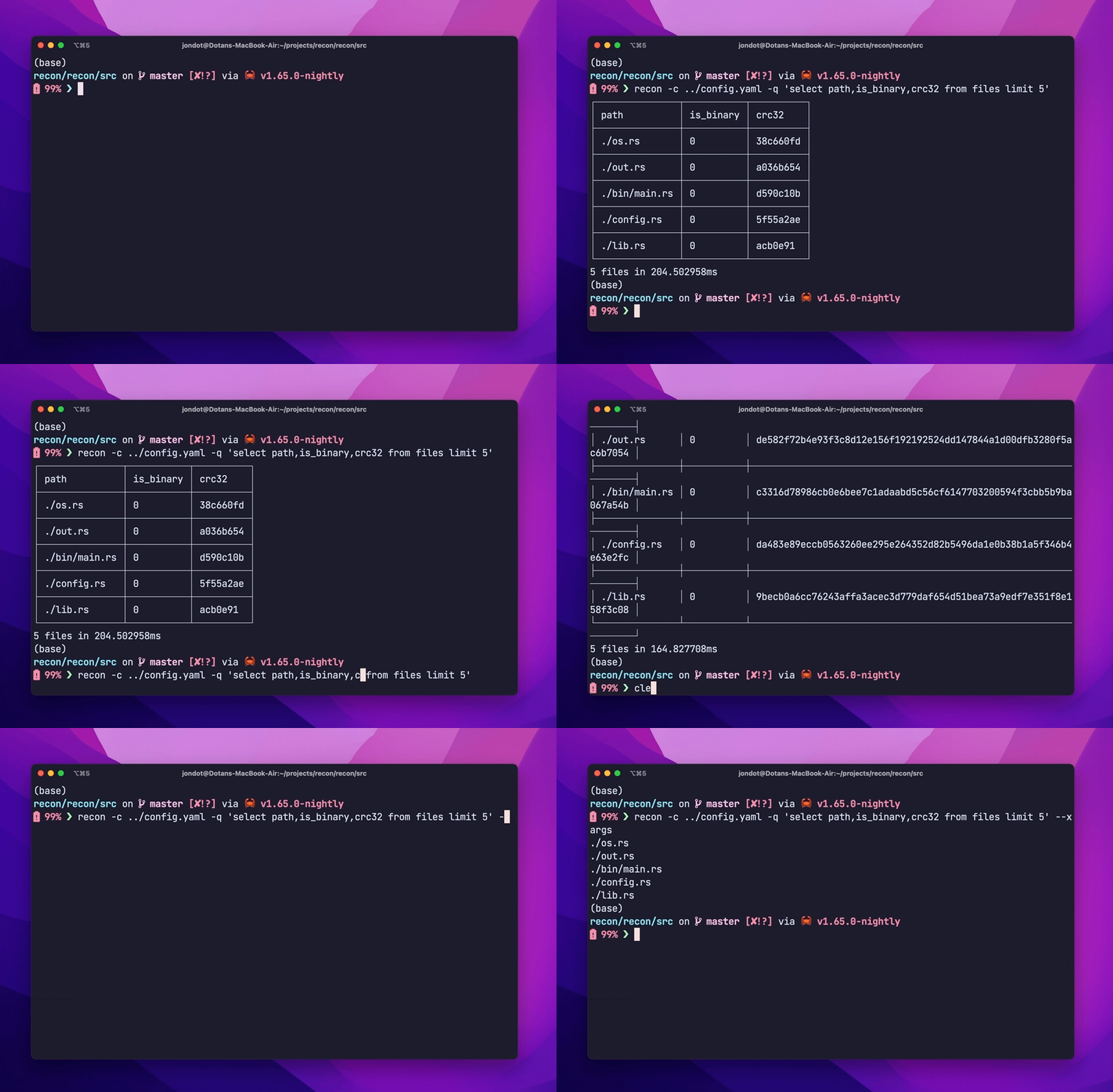
$ recon -m -c config.yaml -q 'select path,is_binary,mode from files limit 6'
β”Œβ”€β”€β”€β”€β”€β”€β”€β”€β”€β”€β”€β”€β”€β”€β”€β”¬β”€β”€β”€β”€β”€β”€β”€β”€β”€β”€β”€β”¬β”€β”€β”€β”€β”€β”€β”€β”€β”€β”€β”€β”€β”
β”‚ path          β”‚ is_binary β”‚ mode       β”‚
β”œβ”€β”€β”€β”€β”€β”€β”€β”€β”€β”€β”€β”€β”€β”€β”€β”Όβ”€β”€β”€β”€β”€β”€β”€β”€β”€β”€β”€β”Όβ”€β”€β”€β”€β”€β”€β”€β”€β”€β”€β”€β”€β”€
β”‚ ./os.rs       β”‚ 0         β”‚ -rw-r--r-- β”‚
β”œβ”€β”€β”€β”€β”€β”€β”€β”€β”€β”€β”€β”€β”€β”€β”€β”Όβ”€β”€β”€β”€β”€β”€β”€β”€β”€β”€β”€β”Όβ”€β”€β”€β”€β”€β”€β”€β”€β”€β”€β”€β”€β”€
β”‚ ./out.rs      β”‚ 0         β”‚ -rw-r--r-- β”‚
β”œβ”€β”€β”€β”€β”€β”€β”€β”€β”€β”€β”€β”€β”€β”€β”€β”Όβ”€β”€β”€β”€β”€β”€β”€β”€β”€β”€β”€β”Όβ”€β”€β”€β”€β”€β”€β”€β”€β”€β”€β”€β”€β”€
β”‚ ./bin/main.rs β”‚ 0         β”‚ -rw-r--r-- β”‚
β”œβ”€β”€β”€β”€β”€β”€β”€β”€β”€β”€β”€β”€β”€β”€β”€β”Όβ”€β”€β”€β”€β”€β”€β”€β”€β”€β”€β”€β”Όβ”€β”€β”€β”€β”€β”€β”€β”€β”€β”€β”€β”€β”€
β”‚ ./config.rs   β”‚ 0         β”‚ -rw-r--r-- β”‚
β”œβ”€β”€β”€β”€β”€β”€β”€β”€β”€β”€β”€β”€β”€β”€β”€β”Όβ”€β”€β”€β”€β”€β”€β”€β”€β”€β”€β”€β”Όβ”€β”€β”€β”€β”€β”€β”€β”€β”€β”€β”€β”€β”€
β”‚ ./lib.rs      β”‚ 0         β”‚ -rw-r--r-- β”‚
β”œβ”€β”€β”€β”€β”€β”€β”€β”€β”€β”€β”€β”€β”€β”€β”€β”Όβ”€β”€β”€β”€β”€β”€β”€β”€β”€β”€β”€β”Όβ”€β”€β”€β”€β”€β”€β”€β”€β”€β”€β”€β”€β”€
β”‚ ./recon.db    β”‚ 1         β”‚ -rw-r--r-- β”‚
β””β”€β”€β”€β”€β”€β”€β”€β”€β”€β”€β”€β”€β”€β”€β”€β”΄β”€β”€β”€β”€β”€β”€β”€β”€β”€β”€β”€β”΄β”€β”€β”€β”€β”€β”€β”€β”€β”€β”€β”€β”€β”˜
6 files in 145.81675ms

Exploring more

We have fully configured examples to explore and start from ( open a PR to add your own!):

all-processors.yamlβ€”β€ŠTurn on all processors by default

custom-walking.yamlβ€”β€ŠCompute fields only for part of the walked directory tree

file-classes.yamlβ€”β€ŠConfigure and classify your own file classes

find-log4shell.yamlβ€Šβ€”β€ŠAn example for finding the log4shell vulnerability using known digests

using-yara.yamlβ€Šβ€”β€ŠUsing a simple YARA ruleset for matching

Have a use case? want to contribute back? feel free to open a PR

← all posts